Compression methods
Gzip
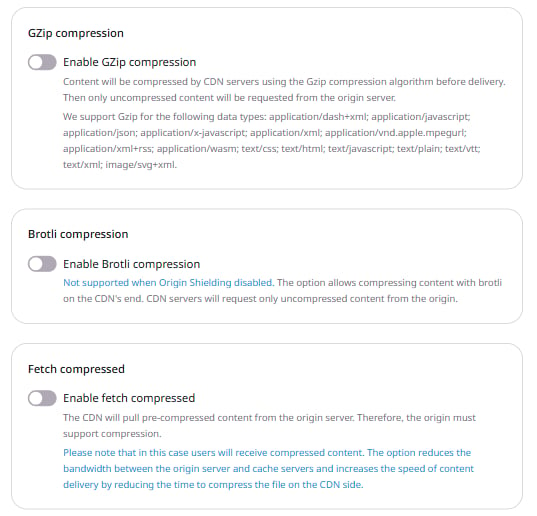
The Gzip method reduces file size by 80% and up to 90%. The following MIME types can be compressed using Gzip:- application/dash+xml
- application/javascript
- application/json
- application/x-javascript
- application/xml
- application/vnd.apple.mpegurl
- application/xml+rss
- application/wasm
- text/css
- text/html
- text/javascript
- text/plain
- text/vtt
- text/xml
- image/svg+xml
Brotli
The Brotli method has a higher compression ratio compared to Gzip, and the minimum file size that can be compressed is 128 bytes. CDN supports Brotli compression only when Origin Shielding is activated. To activate Origin Shielding, enable it in the CDN resource settings under General. The following MIME types are configurable for Brotli compression:- application/javascript. Selected by default.
- application/json. Selected by default.
- application/x-javascript. Selected by default.
- application/xml. Selected by default.
- application/xml+rss. Selected by default.
- text/css. Selected by default.
- text/html. Selected by default. Cannot be deselected.
- text/javascript. Selected by default.
- text/plain. Selected by default.
- text/xml. Selected by default.
- application/vnd.ms-fontobject. Not added by default.
- application/x-font-ttf. Not added by default.
- image/x-icon. Not added by default.
- image/svg+xml. Not added by default.
- application/wasm. Not added by default.
Image formats (e.g., image/jpeg, image/png), video formats (e.g., video/mpeg), PDF, and other binary formats are already compressed. These formats provide little or no size reduction from Gzip or Brotli and may increase file size.
Features
- A request must include the
Accept-Encodingheader to receive compressed content. This header indicates which compression methods the browser supports. Without this header, or if it does not include agziporbrvalue, the response is delivered uncompressed. - When both Gzip and Brotli are enabled for a MIME type, CDN gives precedence to Brotli. If the browser does not support Brotli, CDN falls back to Gzip. When both options are active and a browser sends
Accept-Encoding: gzip, brfor atext/htmldocument, the CDN returns Brotli-compressed content if Origin Shielding is enabled, and Gzip otherwise. - Content already cached before Gzip and Brotli are enabled is not re-compressed automatically. Purge the CDN resource cache after enabling the feature to serve compressed content from the edge.
Configuration guidelines
Review the following requirements and recommendations before configuring the options:- Both Gzip and Brotli compressions can be configured in the Resource Settings and Rules.
- Purge the CDN resource cache after updating these options.
- Brotli compression is only supported when Origin Shielding is enabled. Without active shielding, the Brotli option has no effect.
- Gzip and Brotli compressions are not mutually exclusive and can be used together.
- Gzip and Brotli compressions are mutually exclusive with Fetch Compressed and large files optimization within the same scope — they cannot be enabled together in the Resource Settings or within the same rule.
- Gzip and Brotli compressions in Resource Settings can be combined with Fetch Compressed in Rules. In this case, edge nodes compress all requests, and specific requests are additionally compressed at the origin.
Configuration steps
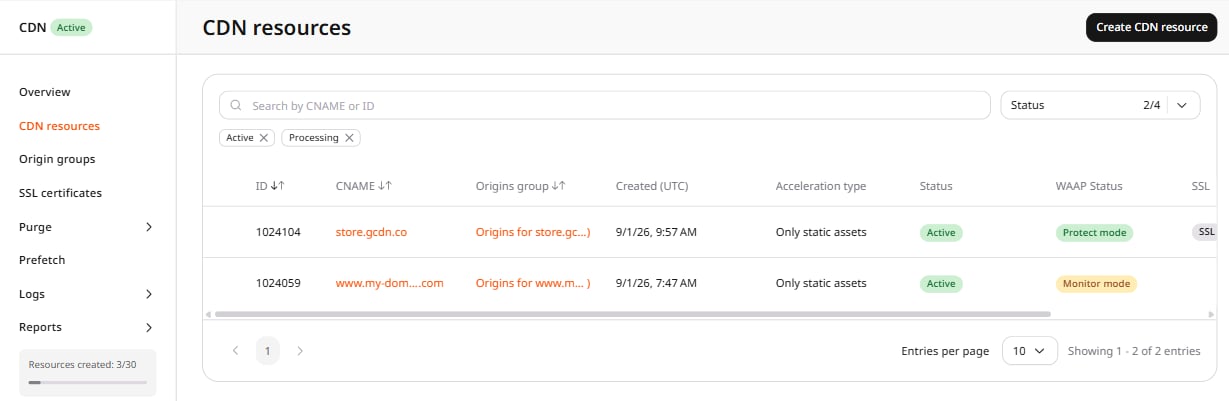
To configure Gzip and Brotli options via the Gcore Customer Portal: 1. Navigate to the CDN resources list and click the CDN resource to configure.