

Configure Fetch compressed
To enable the option, open the resource settings in the Customer Portal.- In the Gcore Customer Portal, navigate to CDN. The CDN resources page opens.
- Click the CNAME of the resource to open its settings.
- Open the OPTIONS tab and scroll to the Content section. Click Fetch compressed in the left sidebar.
- Turn on the Enable fetch compressed toggle.
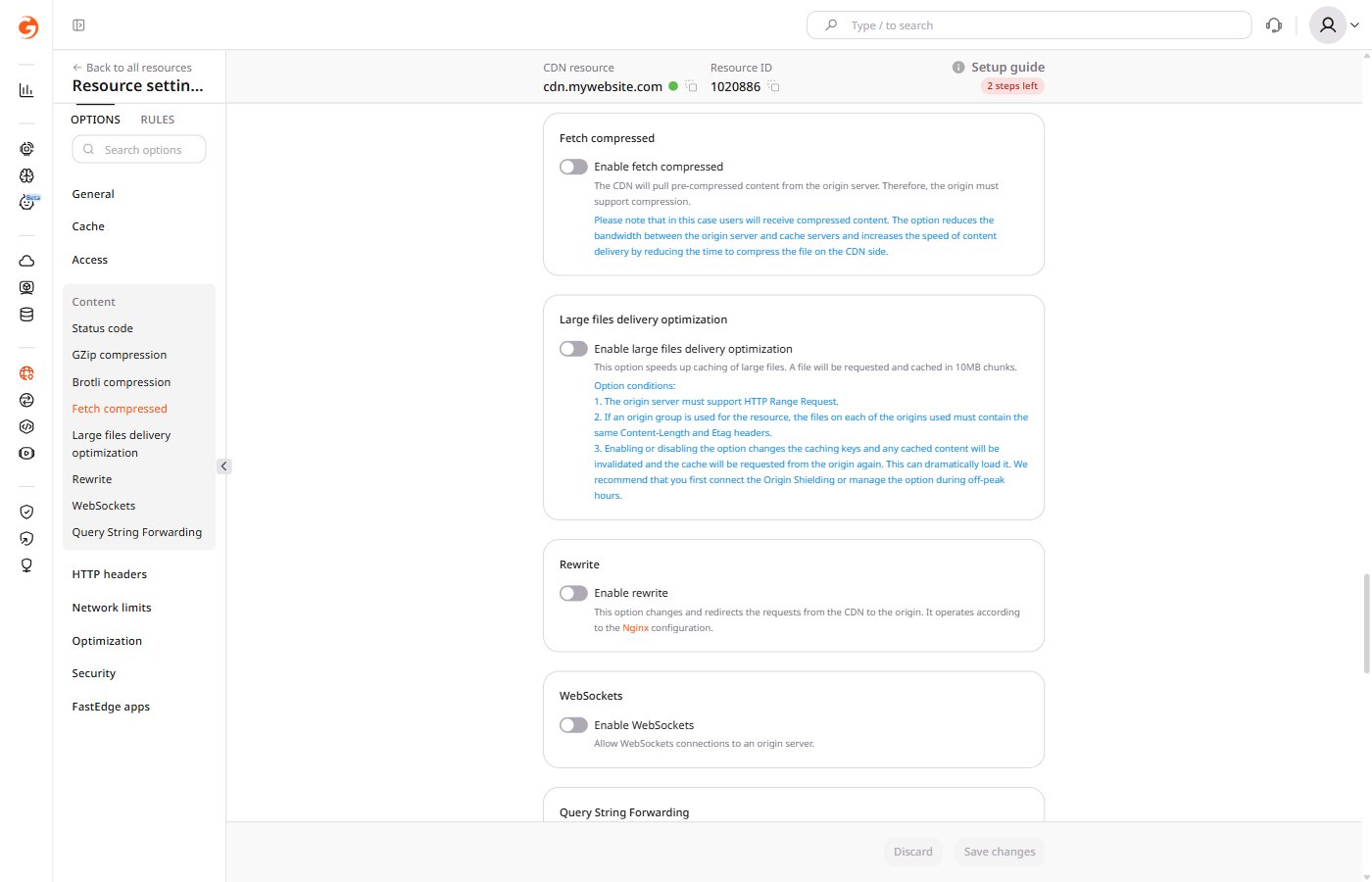
- Click Save changes.
If the origin compresses content with Brotli, the CDN receives uncompressed content when Fetch compressed is enabled. To deliver Brotli-compressed content through the CDN, configure the origin to send a Brotli file when the CDN requests a GZip-encoded response.
Behavior when enabled
When Fetch compressed is active, CDN servers treat the origin as the source of truth for content encoding.- CDN servers do not decompress fetched content before delivering it to end users. End users receive compressed content regardless of whether the browser accepts compression.
- Fetch compressed and GZip compression cannot be active simultaneously — enabling one disables the other.
Compression without CDN settings
When Fetch compressed and other CDN compression options are disabled, compression can be controlled by the origin server usingAccept-Encoding, Content-Encoding, and Vary headers. Compression behavior then depends on whether the origin supports it.
Origin supports compression
To deliver either compressed or uncompressed content per request, disable all compression settings on the CDN resource. Then configure two HTTP headers on the origin server:Vary: Accept-Encoding and Content-Encoding.
CDN servers check the Accept-Encoding header in every request from end users. If the header includes gzip, deflate, or br, the CDN requests the compressed version from the origin. If those directives are absent, the CDN requests the uncompressed version.
- If
Vary: Accept-Encodingis not set on the origin server, CDN caches the first version it receives — compressed or uncompressed. A user who needs the other version will receive the cached copy, which the browser may fail to display correctly. - If
Vary: Accept-Encodingis set, CDN caches both versions separately and serves the correct one per request.