

Static
This mode sets a limit on all content transmitted through the CDN. When this mode is selected, configure the Connection speed and Limit after parameters.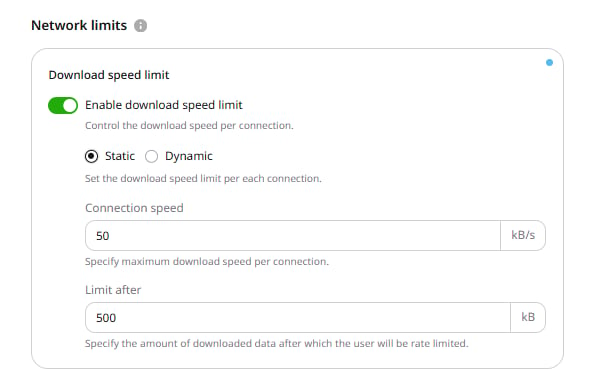
Connection speed
This setting defines the maximum download speed per connection in kilobytes per second (kB/s). The minimum accepted value is 1 kB/s.Limit after
This setting defines the amount of data that downloads without a speed limit before the Connection speed setting takes effect. If set to 0, the download speed is limited immediately from the first byte.Dynamic
This mode sets different limits for different users or content types. The speed is adjusted based on thespeed and buffer query string arguments.
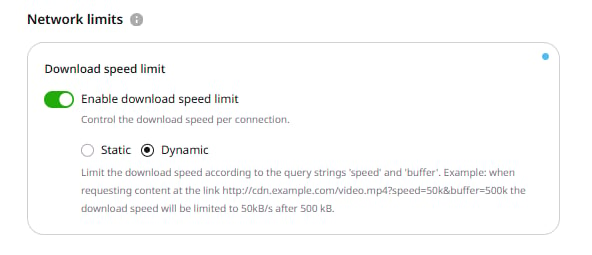
speed argument sets the maximum download speed, while buffer sets how much data transfers without the speed limit. The buffer argument is optional.
Pass the arguments as query string parameters. The following URL limits download speed to 50 kB/s after downloading 500 kB:
Option features
- For both modes, the limit is set per connection, so if a client opens two connections at the same time, the total speed is twice the specified limit.
- Ignore Query String does not affect the Download speed limit option. They can be used together.