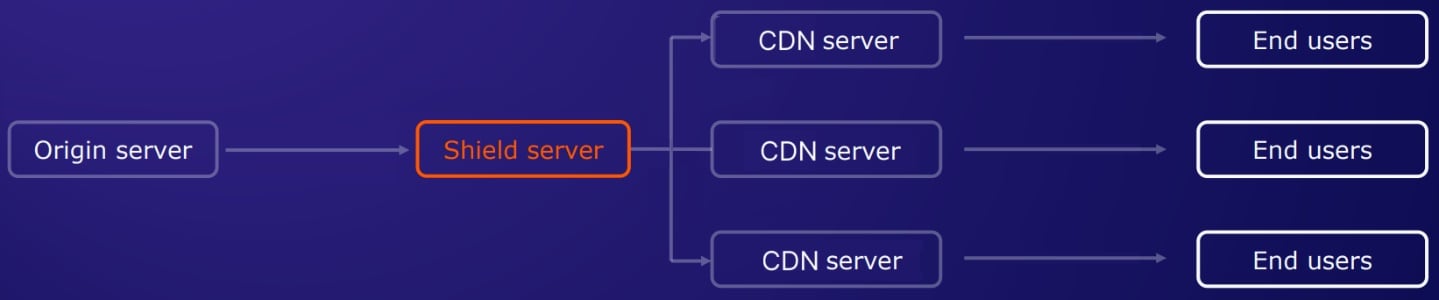
Origin Shielding is a paid CDN option that protects the origin server from being overloaded with requests from multiple CDN edge servers. All edge server requests accumulate at a special server called a shield or precache server, which caches content and pulls from the origin only on a cache miss. The shield server sits between the origin and the entire content delivery network. When a traffic burst occurs, the shield handles all requests from CDN edge servers, preventing the origin from being overwhelmed. The shield uses the pull protocol configured on the CDN resource — HTTP or HTTPS. Selecting the shield location closest to the origin minimizes the distance on the shield-to-origin connection.
Diagram showing the shield server positioned between CDN edge servers and the origin server

Enable Origin Shielding

Origin Shielding is a paid option. To make it available for a CDN resource, contact Gcore support or the account manager.
1

Open the CDN resource settings

In the Gcore Customer Portal, navigate to CDN > CDN resources and click the CNAME of the resource to configure.
2

Open Origin Shielding

In the resource settings sidebar, click Origin Shielding.
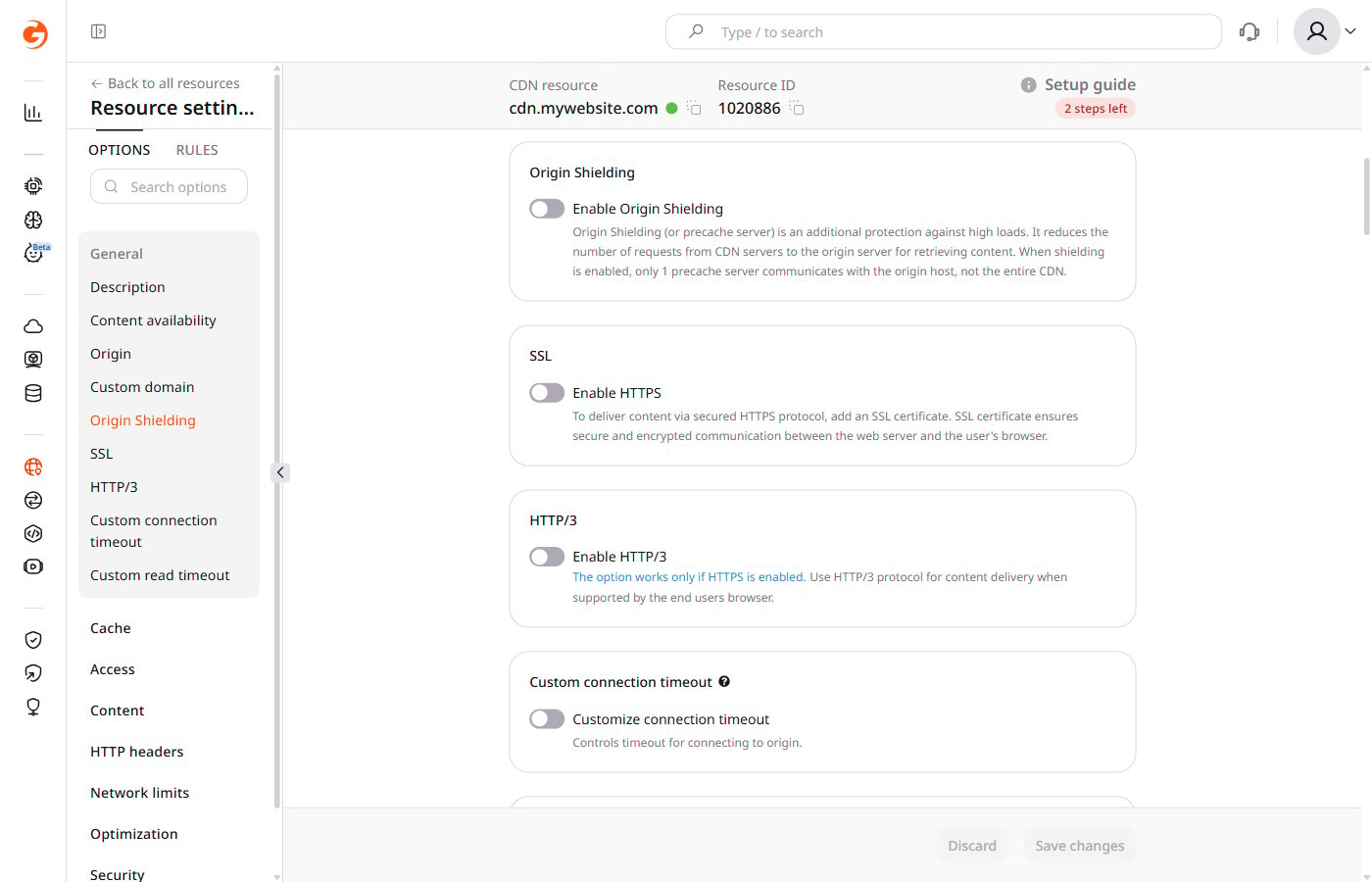
CDN resource settings with the Origin Shielding section showing the disabled Enable Origin Shielding toggle
3

Enable the toggle

Turn on the Enable Origin Shielding toggle.
4

Select the precache server location

In the Data center dropdown, select the location for the precache server. The location closest to the origin server minimizes the shield-to-origin latency.
5

Save

Click Save changes.
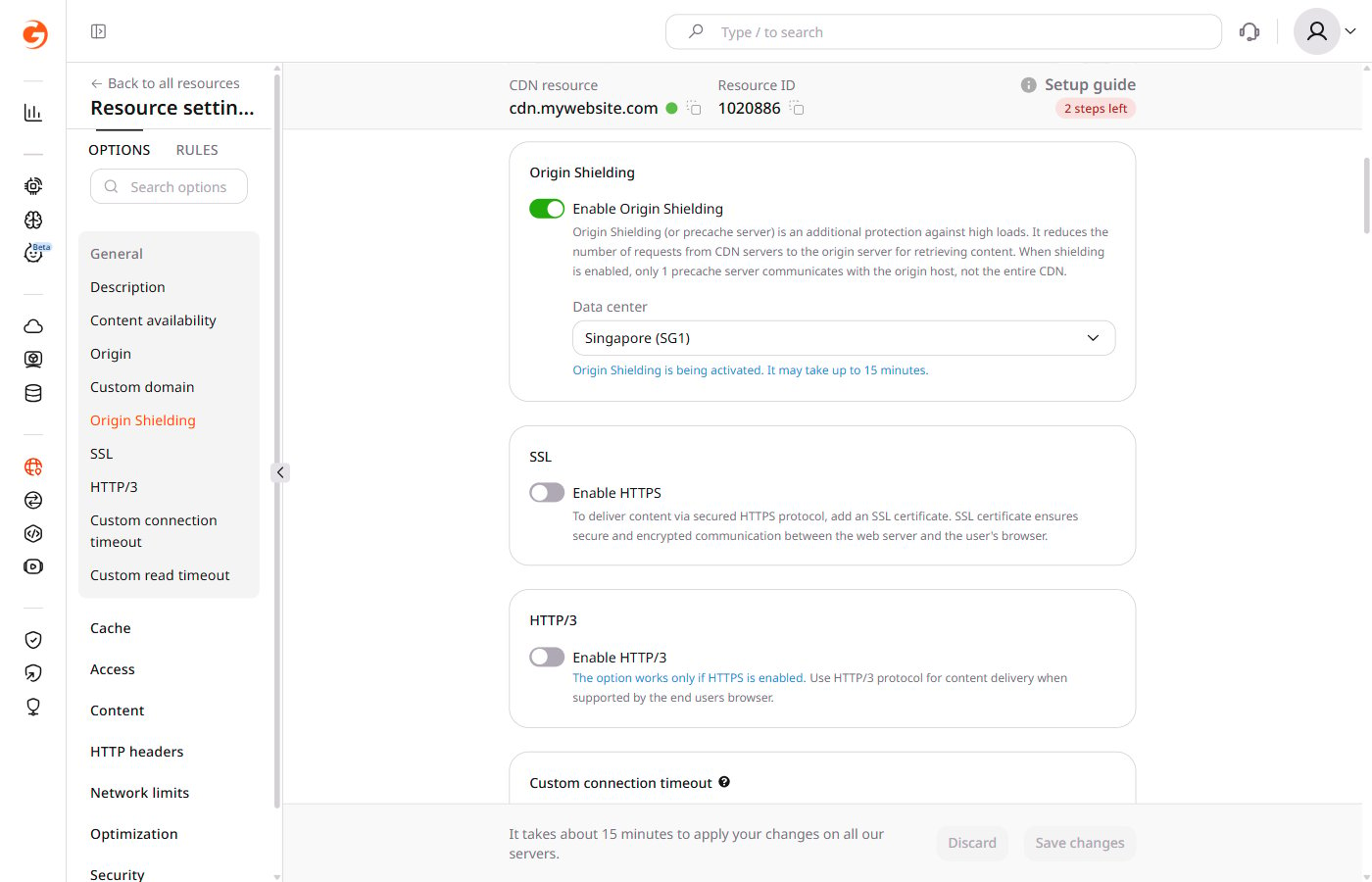
Activation begins immediately and completes in under 15 minutes. The following notification appears:
Activation notification indicating Origin Shielding is being activated