Submission steps
Complete the following steps in the Gcore Customer Portal to submit a network for protection.-
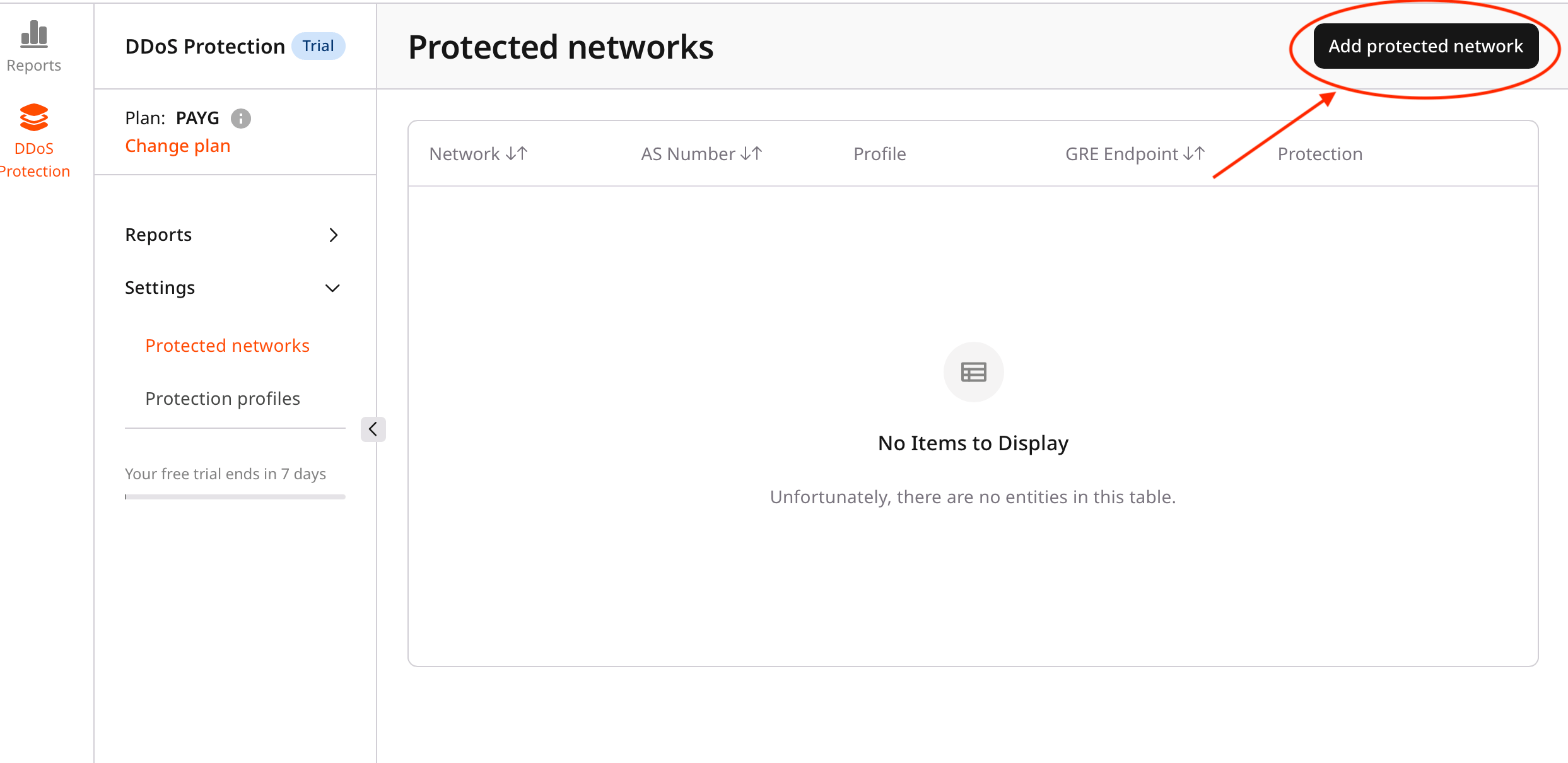
In the DDoS Protection dashboard, click Add protected network.
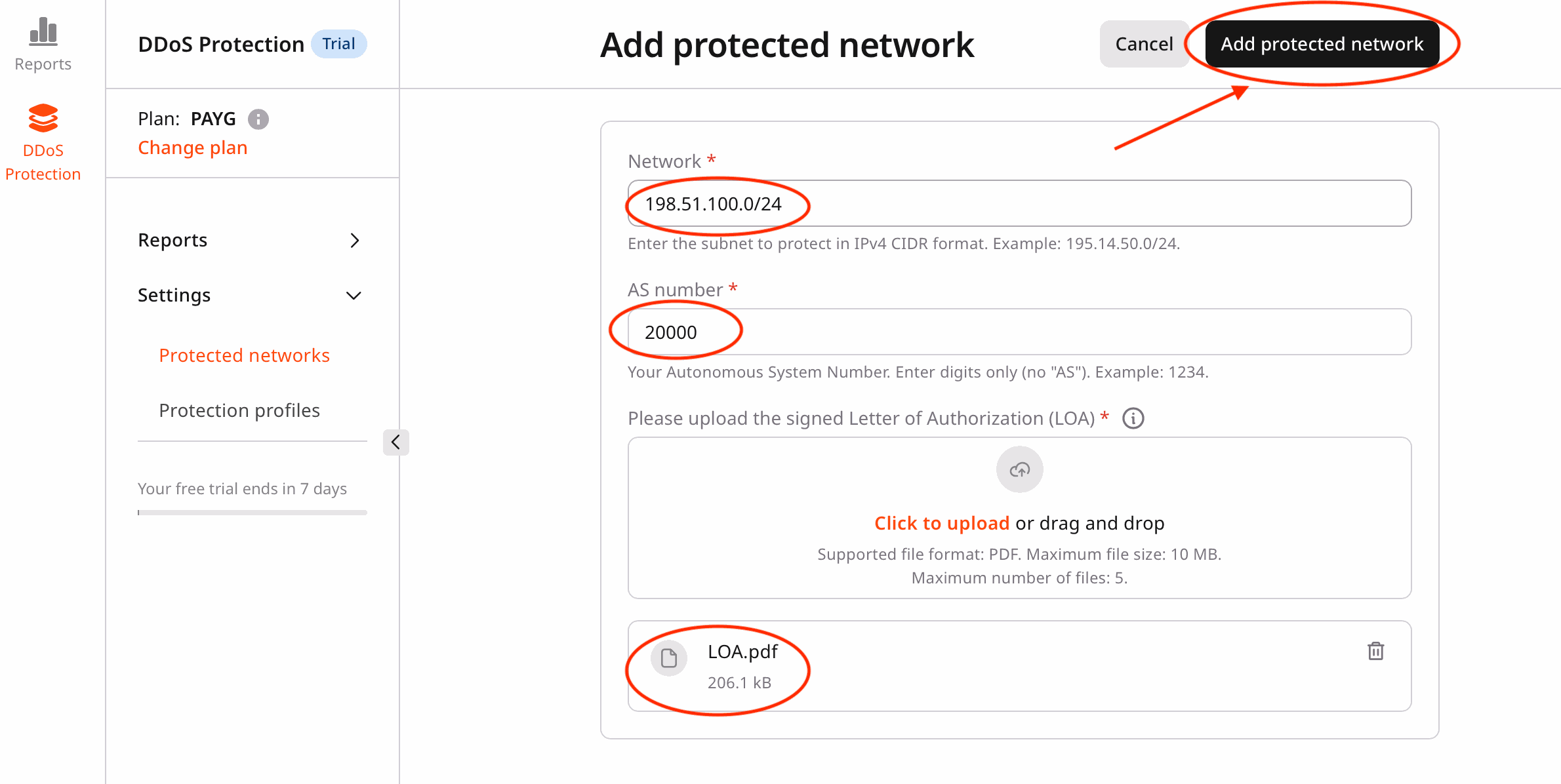
- This opens the network submission form.
-
Complete the required fields:
-
Submit the network.
- Review the entered information.
- Click Add protected network to submit the request.
- The portal redirects to the Protected networks page.
-
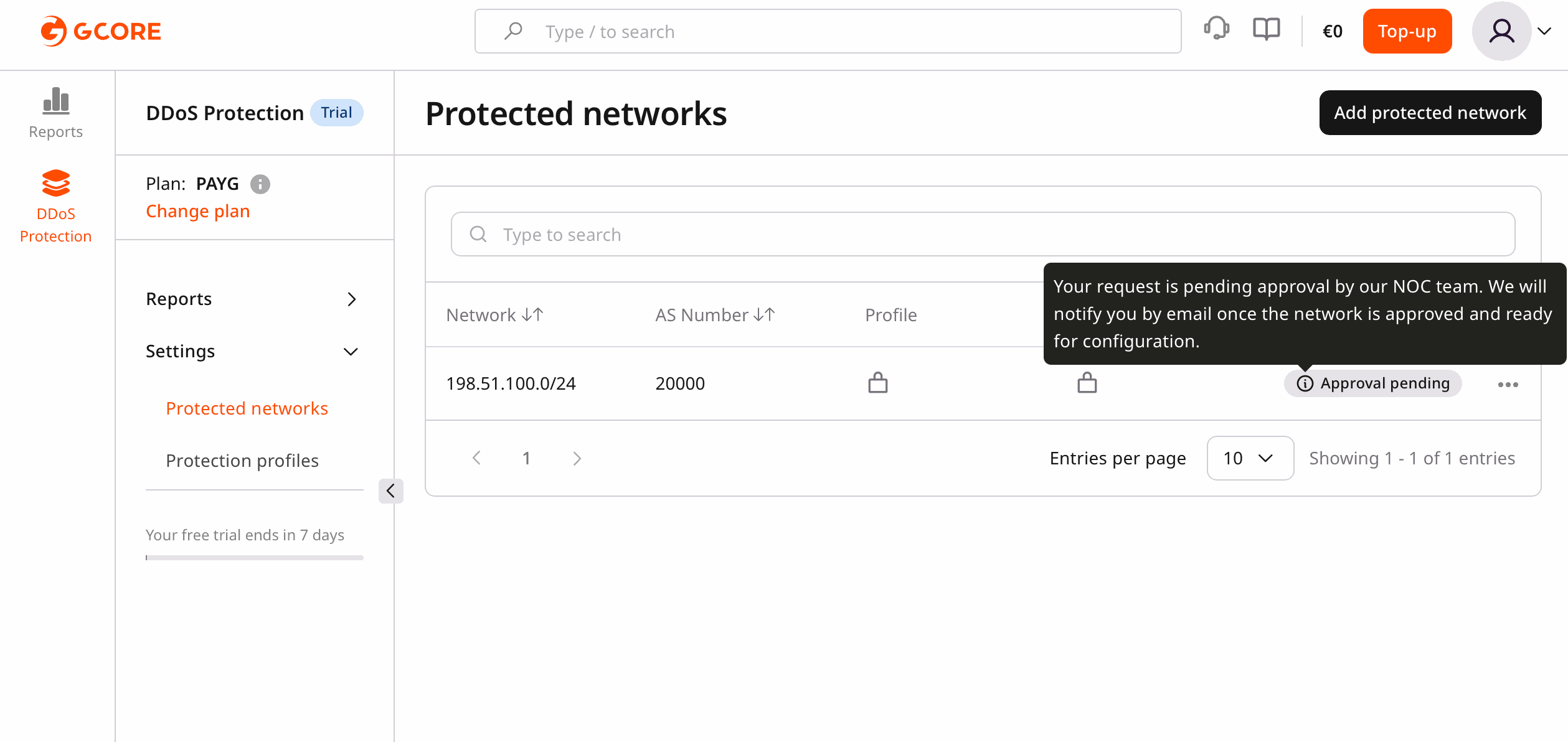
Check the submission status.
- The newly submitted network appears in the list with the Pending status until the network operations center (NOC) team reviews it. Once approved, the status changes to Inactive: need info, which unlocks network configuration.
The portal displays: “Your request is pending approval by our NOC team. We will notify you by email once the network is approved and ready for configuration.”