> ## Documentation Index
> Fetch the complete documentation index at: https://gcore-doc-2189.mintlify.site/llms.txt
> Use this file to discover all available pages before exploring further.
# Overview
Edge Proxy protects applications from DDoS attacks by routing traffic through the Gcore CDN edge network.
Protection is active within minutes, without deploying additional infrastructure or configuring complex networking.
## Traffic flow
Clients connect to a proxy IP; Gcore filters the traffic at the nearest PoP and forwards clean connections to the origin.
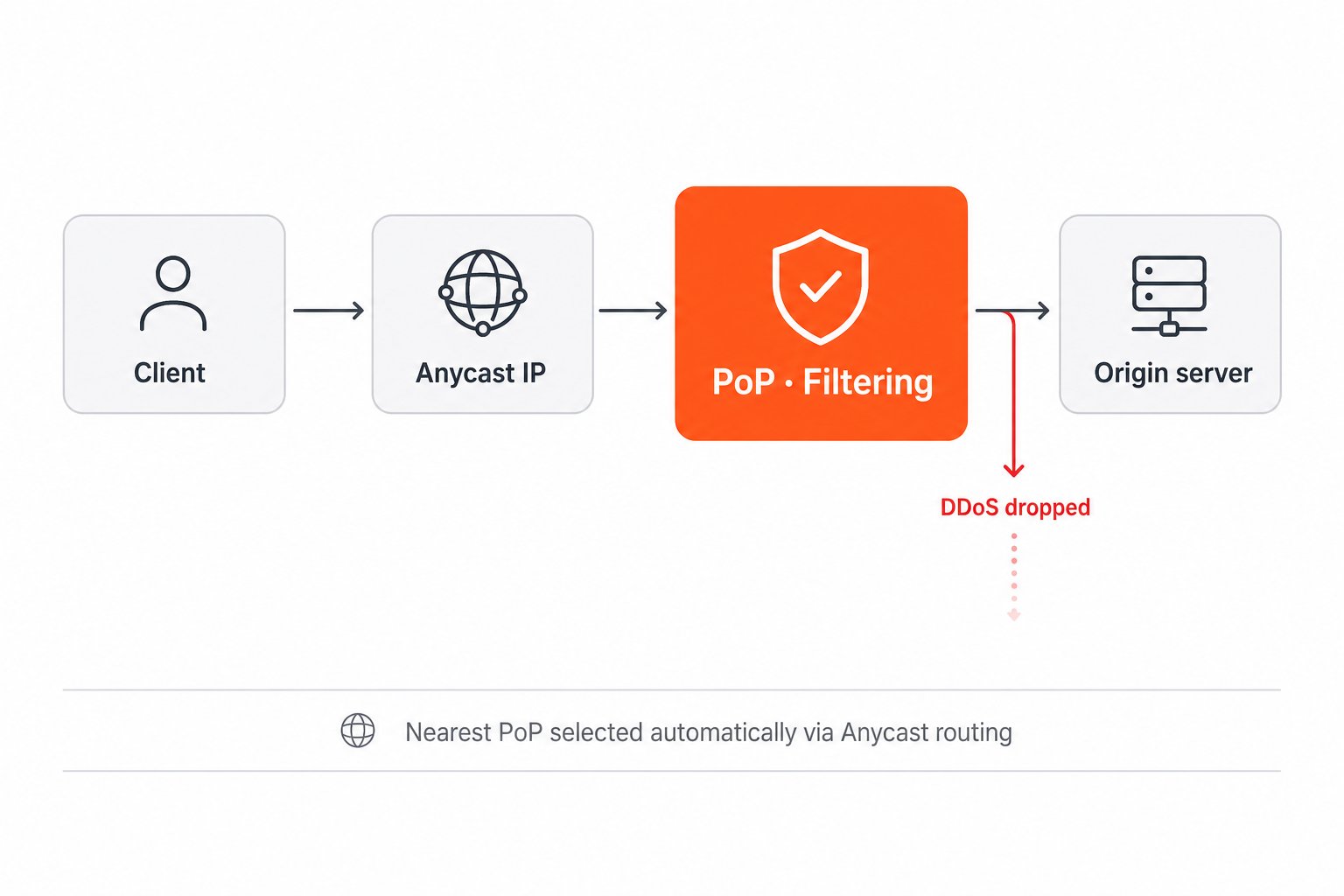 Incoming traffic routes through Anycast IP addresses to the nearest Point of Presence, where DDoS filtering runs at the edge. Clean traffic forwards to the origin server. Each protected server receives a dedicated proxy IP address that clients connect to instead of the origin directly.
Edge Proxy suits game servers, APIs, backend services, and any TCP or UDP application that requires DDoS protection:
* High availability — traffic distributed across multiple PoPs removes regional bottlenecks and enables multi-terabit filtering capacity.
* Lower latency — processing at the nearest PoP reduces round-trip time and improves responsiveness.
* Simple setup — configured in a few steps without managing virtual machines or networking components.
* Efficient IP usage — multiple servers share the same Anycast infrastructure, so no additional transit or IP allocation is required per server.
* Flexible configuration — multiple applications and ports can be protected behind a single proxy IP.
## Core concepts
The following terms appear throughout the Edge Proxy documentation.
| Term | Description |
| ------------------ | ---------------------------------------------------------------------------------------------------------------------------------------------------------------------------------------------------------------------- |
| **Origin server** | The backend server that receives filtered traffic, identified by IPv4 address or domain name |
| **Proxy IP** | A public IP assigned by Gcore; clients connect here instead of to the origin |
| **Application** | A predefined DDoS countermeasure profile for a specific service type — game servers (Minecraft, Counter-Strike series, and others), Generic TCP Server, or General UDP Countermeasure for non-gaming TCP/UDP workloads |
| **Port mapping** | Associates one origin port and protocol with a filtered endpoint on the proxy IP |
| **Proxy protocol** | An optional per-port setting that injects a PROXY protocol header (v1 or v2) into forwarded connections, making the original client IP visible to the origin server |
Once configured, Edge Proxy assigns a proxy IP, starts filtering traffic immediately, and exposes traffic metrics in [Traffic Overview](/edge-proxy/manage-edge-proxy).
Incoming traffic routes through Anycast IP addresses to the nearest Point of Presence, where DDoS filtering runs at the edge. Clean traffic forwards to the origin server. Each protected server receives a dedicated proxy IP address that clients connect to instead of the origin directly.
Edge Proxy suits game servers, APIs, backend services, and any TCP or UDP application that requires DDoS protection:
* High availability — traffic distributed across multiple PoPs removes regional bottlenecks and enables multi-terabit filtering capacity.
* Lower latency — processing at the nearest PoP reduces round-trip time and improves responsiveness.
* Simple setup — configured in a few steps without managing virtual machines or networking components.
* Efficient IP usage — multiple servers share the same Anycast infrastructure, so no additional transit or IP allocation is required per server.
* Flexible configuration — multiple applications and ports can be protected behind a single proxy IP.
## Core concepts
The following terms appear throughout the Edge Proxy documentation.
| Term | Description |
| ------------------ | ---------------------------------------------------------------------------------------------------------------------------------------------------------------------------------------------------------------------- |
| **Origin server** | The backend server that receives filtered traffic, identified by IPv4 address or domain name |
| **Proxy IP** | A public IP assigned by Gcore; clients connect here instead of to the origin |
| **Application** | A predefined DDoS countermeasure profile for a specific service type — game servers (Minecraft, Counter-Strike series, and others), Generic TCP Server, or General UDP Countermeasure for non-gaming TCP/UDP workloads |
| **Port mapping** | Associates one origin port and protocol with a filtered endpoint on the proxy IP |
| **Proxy protocol** | An optional per-port setting that injects a PROXY protocol header (v1 or v2) into forwarded connections, making the original client IP visible to the origin server |
Once configured, Edge Proxy assigns a proxy IP, starts filtering traffic immediately, and exposes traffic metrics in [Traffic Overview](/edge-proxy/manage-edge-proxy).